
This process takes just a few minutes from start to finish.
Overview of the web form
This is the basic PayPerFax web form where you’ll enter your fax details: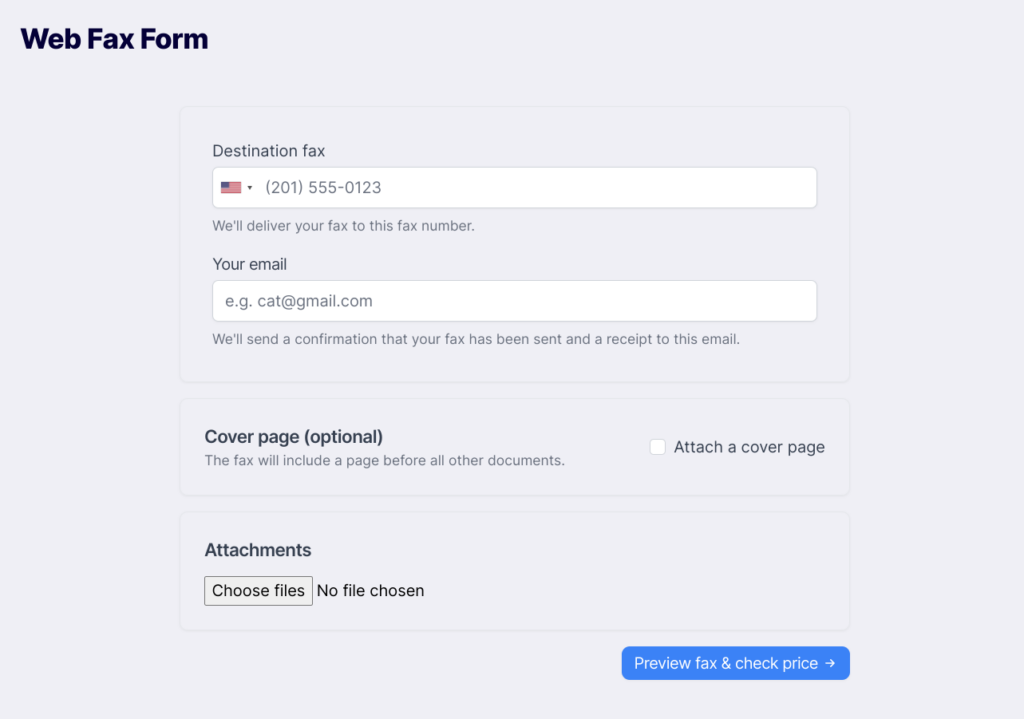
Step 1: Enter destination fax number and email
1
Select the destination country
Click on the flag icon to select the country where you’re sending the fax.This ensures the proper country code and pricing.
2
Enter the fax number
Type the destination fax number including the area code.
3
Enter your email address
Provide an email address where you’ll receive:
- Fax completion notification
- Transmission details
- PDF copy of the sent fax
Step 2: Optionally, compose a cover page
A cover page is an optional text page that appears before your attached documents. It’s useful for routing instructions or messages to the recipient.How to add a cover page
How to add a cover page
- Click the “Attach a cover page” checkbox
- Fill in the fields that appear:
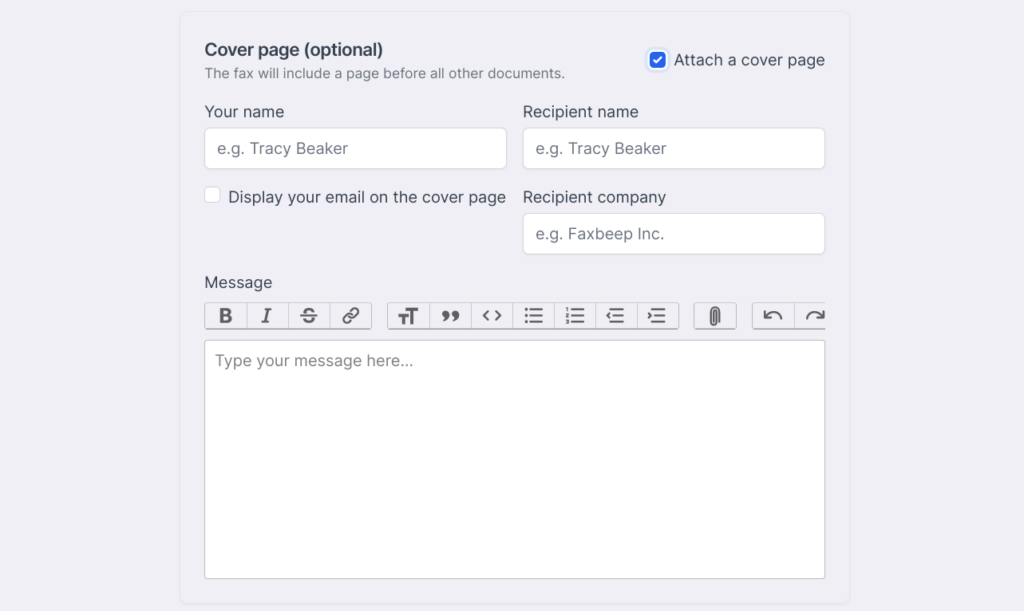 The cover page fields typically include:
- To (recipient name)
- From (your name)
- Company/organization
- Subject
- Message/notes
Step 3: Optionally, attach files
1
Click 'Choose files'
Select one or more files from your computer to attach to the fax.
2
Add multiple files
You can click “Choose files” multiple times to attach several documents.They will be faxed in the order you added them.
Either a cover page or attached files (or both) must be provided to proceed. You cannot send a completely empty fax.
Step 4: Preview fax and check price
Click the “Preview fax & check price” button to proceed to the preview page.What happens during preview
What happens during preview
PayPerFax will process your documents: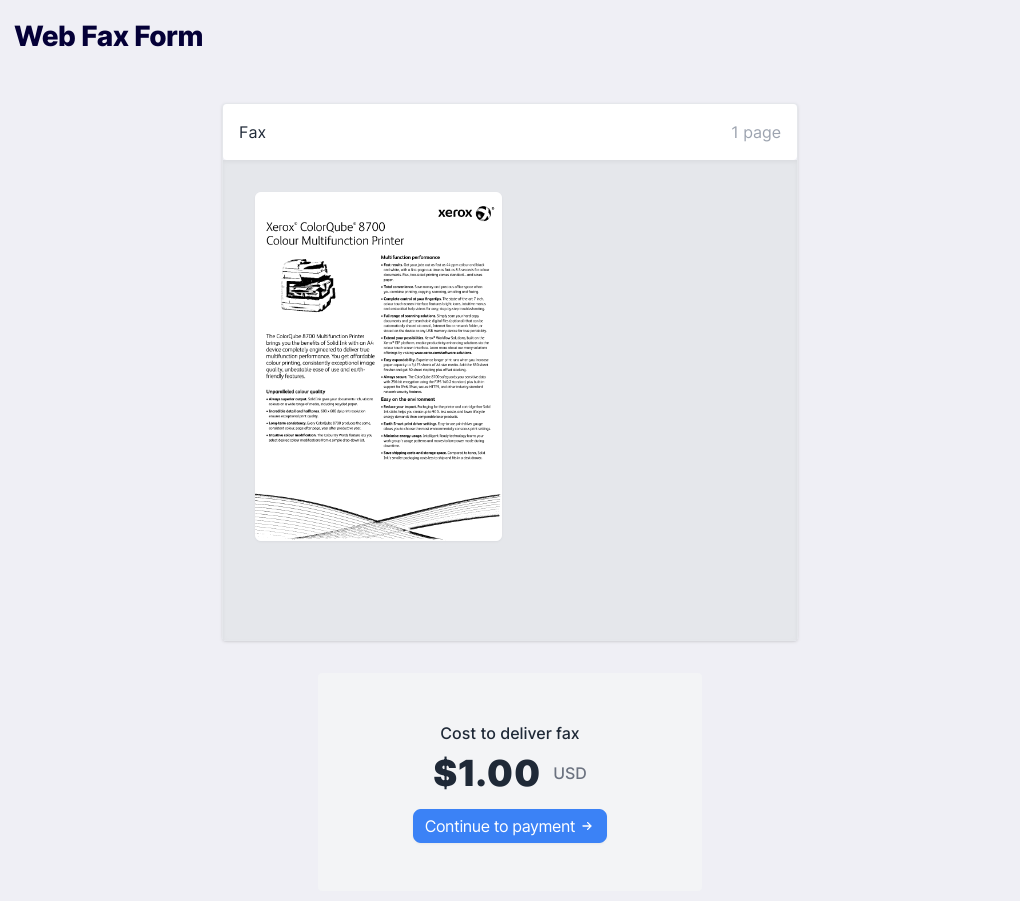
- Convert files to fax format (204×196 dpi)
- Count total pages
- Calculate the exact price
- Generate a preview of what will be sent
Review the preview carefully
Review the preview carefully
Before proceeding to payment, verify:
- All text is readable - If the preview looks unreadable, the recipient won’t be able to read it either
- All pages are included - Check for missing or unexpected blank pages
- Page count is correct - This determines your cost
- Final price - Guaranteed price with no hidden fees
Step 5: Continue to payment
Click “Continue to payment” when you’re satisfied with the preview.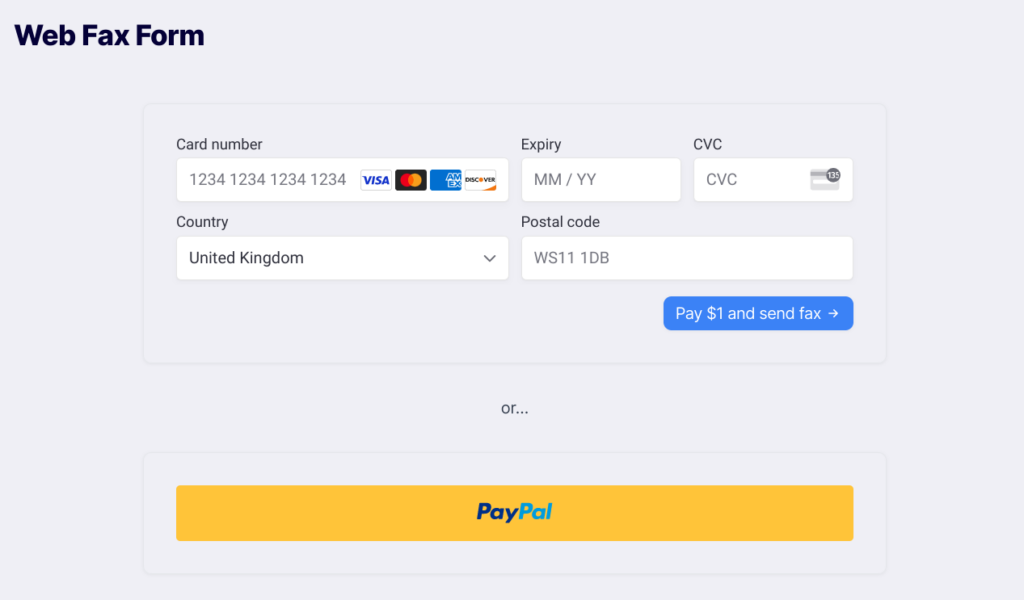
Choose your payment method
Choose your payment method
Credit Card:
- Enter card details directly on the page
- Secure processing via Stripe
- Click the PayPal button
- Log into your PayPal account
- Approve the payment
A temporary authorization hold is placed on your payment method. You’re only charged if the fax succeeds. Learn more.
Step 6: Track your fax
After payment authorization, you’ll see the tracking page.While fax is sending
While fax is sending
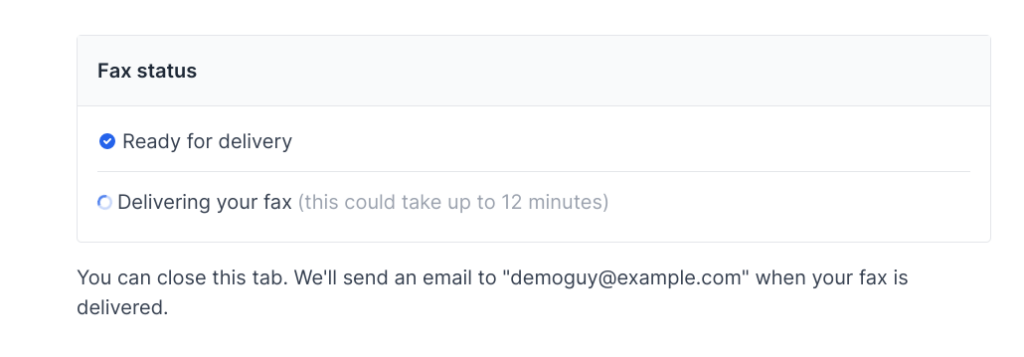 The tracking page shows real-time status:
- Queued: Waiting to be sent
- Sending: Currently transmitting
When fax completes
When fax completes
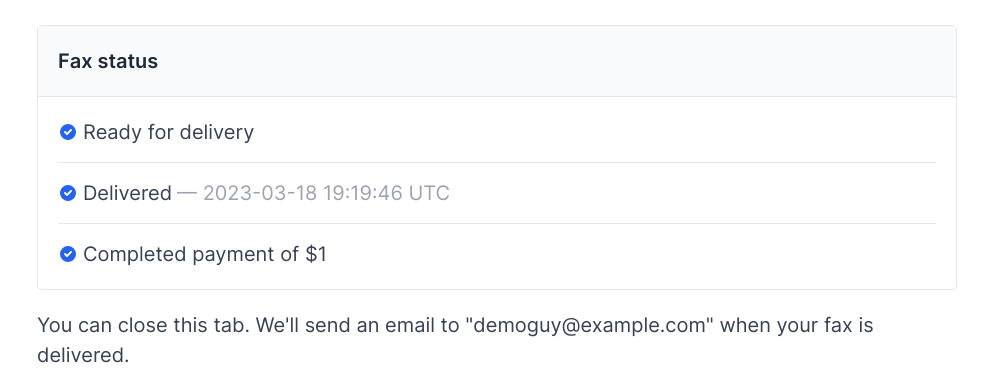 The page updates to show:
- Final status (success or failure)
- Transmission date and time
- Destination fax identifier (CSID)
- Link to view/download confirmation
Step 7: Receive confirmation via email
When your fax completes, you’ll receive an email confirmation with: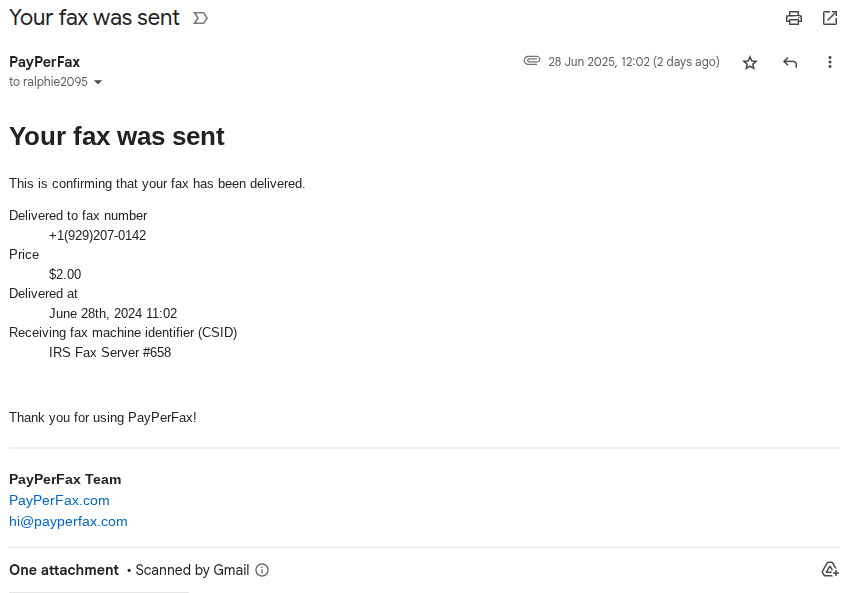
Transmission Details
- Date and time sent
- Destination fax number
- Remote fax identifier (CSID)
- Number of pages
- Final charge amount
PDF Attachment
Exact copy of what was sent to the recipientSave this for your records
What if something goes wrong?
Fax Failed?
Understand why faxes fail and what to do
Not Received?
Your fax shows as sent but recipient didn’t get it
Looks Low Quality?
Why fax confirmations appear pixelated
Need to Resend?
How to resend a failed fax
Related topics
Cloud Storage Integrations
Fax from Dropbox or Google Drive
Cover Pages
How to use cover pages effectively
File Requirements
Supported formats and specifications
Pricing & Payment
Complete pricing information